
71 lines
3.9 KiB
Markdown
71 lines
3.9 KiB
Markdown
# PixelBlocks
|
||
|
||
**Design and build your own custom Minecraft blocks. In Minecraft.**
|
||
|
||
*No resource packs. No client mods. 100% server-side.*
|
||
|
||
|
||
|
||
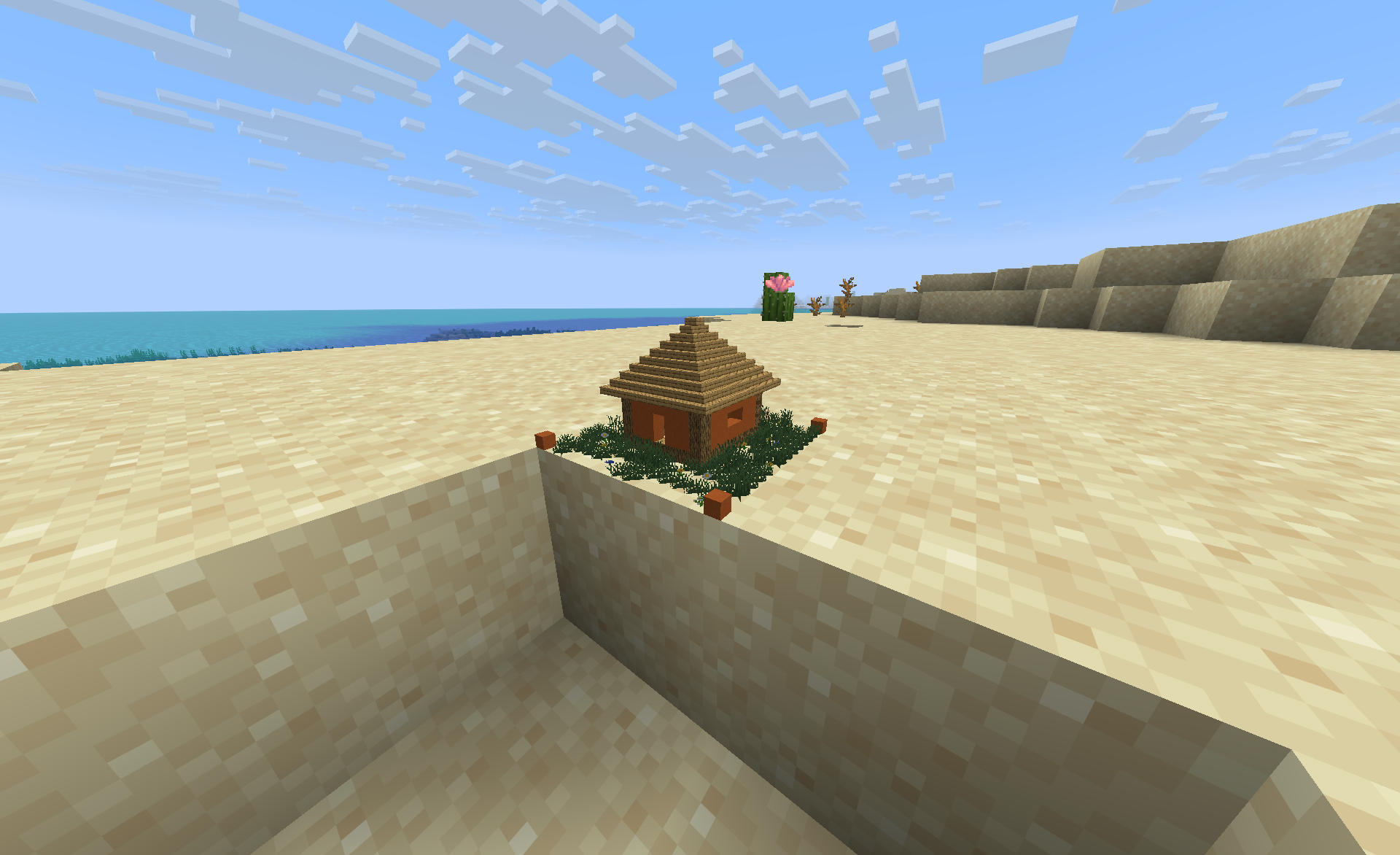
PixelBlocks lets your players create their own blocks: place a pixel block, walk inside it, and build its appearance pixel by pixel in a dedicated building dimension. Every block placed inside becomes one pixel of the custom block (16×16×16 by default), just like a Minecraft block texture, but in 3D and made of real blocks.
|
||
|
||
Since everything is rendered with vanilla display entities, custom blocks are visible to every player instantly: nothing to install, nothing to download.
|
||
|
||
## ✨ Why PixelBlocks?
|
||
|
||
- **Custom blocks without mods or resource packs:** everything is rendered with vanilla display entities; clients need nothing installed.
|
||
- **Portable builds:** break a pixel block and it drops as an item, contents included. Place it somewhere else, give it away, or collect them.
|
||
- **Real block feel:** the design is rendered in the world with real block models, including correct rotations and orientations, scaled down to a single block.
|
||
- **Ownership built in:** the first player to place an empty pixel block becomes its owner; editing and breaking can be restricted to owners via config.
|
||
- **Made for vanilla, survival and SMP servers:** pixel blocks are earned in-game through a late-game crafting recipe that players discover naturally, no commands or admin intervention needed.
|
||
- **Localized:** English and German out of the box, following each player's client language.
|
||
|
||
## 🧭 How it works
|
||
|
||
1. Craft a pixel block and place it anywhere in the world.
|
||
2. Right-click it to enter its building dimension: a floating grass platform with a marked build area and an exit portal.
|
||
3. Build the block's look inside the marked area, pixel by pixel. Leave through the portal (or `/pixelblocks exit`) and the placed block now shows your design.
|
||
4. Break the block to pick it up. Item and design travel together.
|
||
|
||
The building dimensions are fully protected: no mob spawns, no explosions, no redstone contraptions escaping the build area, no liquids flowing out, and players cannot open containers that don't belong there.
|
||
|
||
## 🛠️ Crafting
|
||
|
||
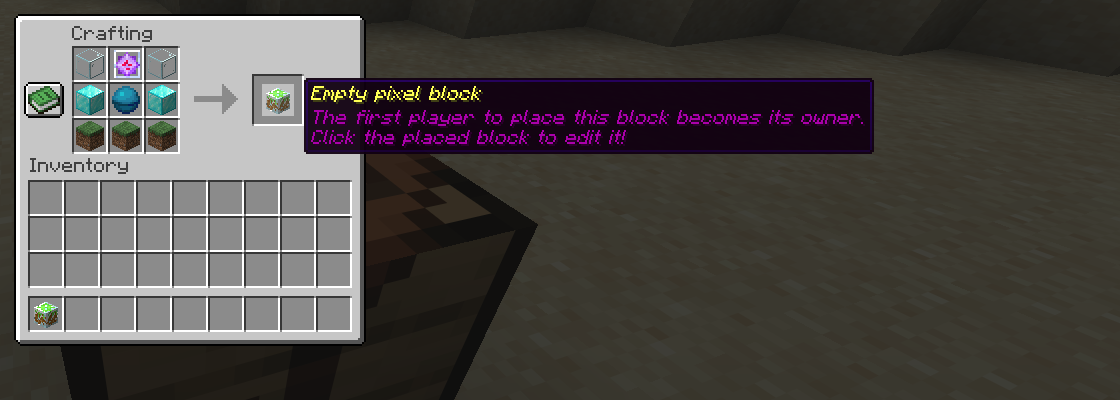
The recipe unlocks for a player as soon as they click a Heart of the Sea or an End Crystal in their inventory.
|
||
|
||
|
||
|
||
| | | |
|
||
|---|---|---|
|
||
| Glass | End Crystal | Glass |
|
||
| Diamond Block | Heart of the Sea | Diamond Block |
|
||
| Grass Block | Grass Block | Grass Block |
|
||
|
||
## ⌨️ Commands & permissions
|
||
|
||
Root command: `/pixelblocks` (alias `/pb`)
|
||
|
||
| Command | Description | Permission | Default |
|
||
|---|---|---|---|
|
||
| `/pixelblocks create` | Creates a pixel block at your position | `pixelblocks.command.create` | op |
|
||
| `/pixelblocks give [uuid]` | Gives a pixel block item | `pixelblocks.command.give` | op |
|
||
| `/pixelblocks exit` | Leaves the current pixel block | `pixelblocks.command.exit` | everyone |
|
||
| `/pixelblocks destroyall` | Destroys all pixel blocks | `pixelblocks.command.destroyall` | op |
|
||
|
||
## ⚙️ Configuration
|
||
|
||
```yaml
|
||
pixelsPerBlock: 16 # resolution of the miniature (don't change once blocks exist)
|
||
onlyBreakableByOwners: false # only the owner may break a pixel block
|
||
onlyEditableByOwners: true # only the owner may enter and edit a pixel block
|
||
```
|
||
|
||
## 📦 Requirements
|
||
|
||
- Paper 1.21 or newer (built against the latest release)
|
||
- Java 21+ (Java 25 for current Paper versions)
|
||
|
||
## 🔗 Links
|
||
|
||
- [Source code](https://mhsl.eu/gitea/Minecraft/PixelBlocks)
|
||
- Found a bug or have an idea? Open an issue in the repository!
|